AI prompts to redesign a room, ready to copy.
A good room prompt does four things: it says which photo to use, what must stay, what should change, and the style. Here are prompts for the common jobs, the reasoning behind each part, and where to paste them.
Updated
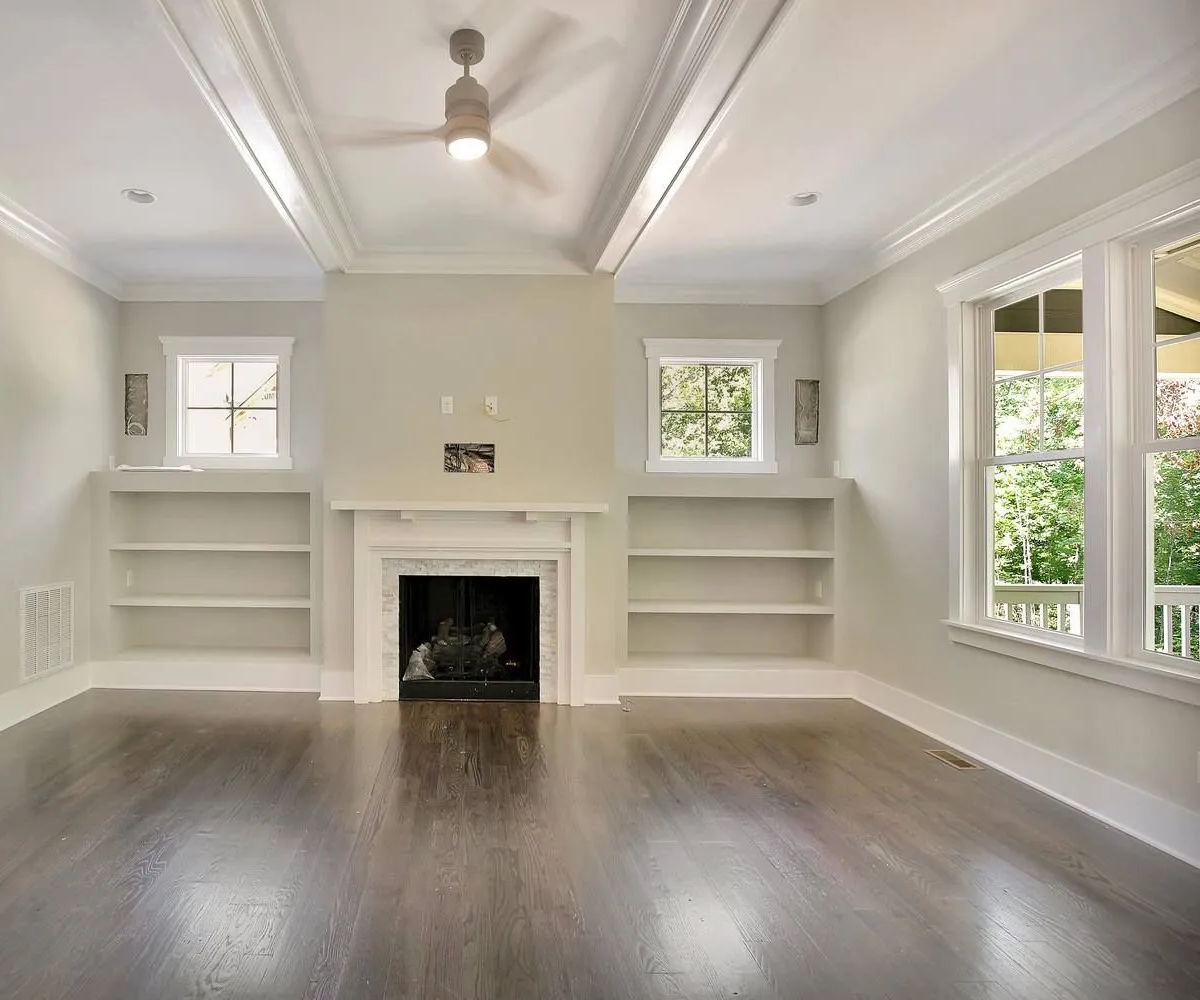
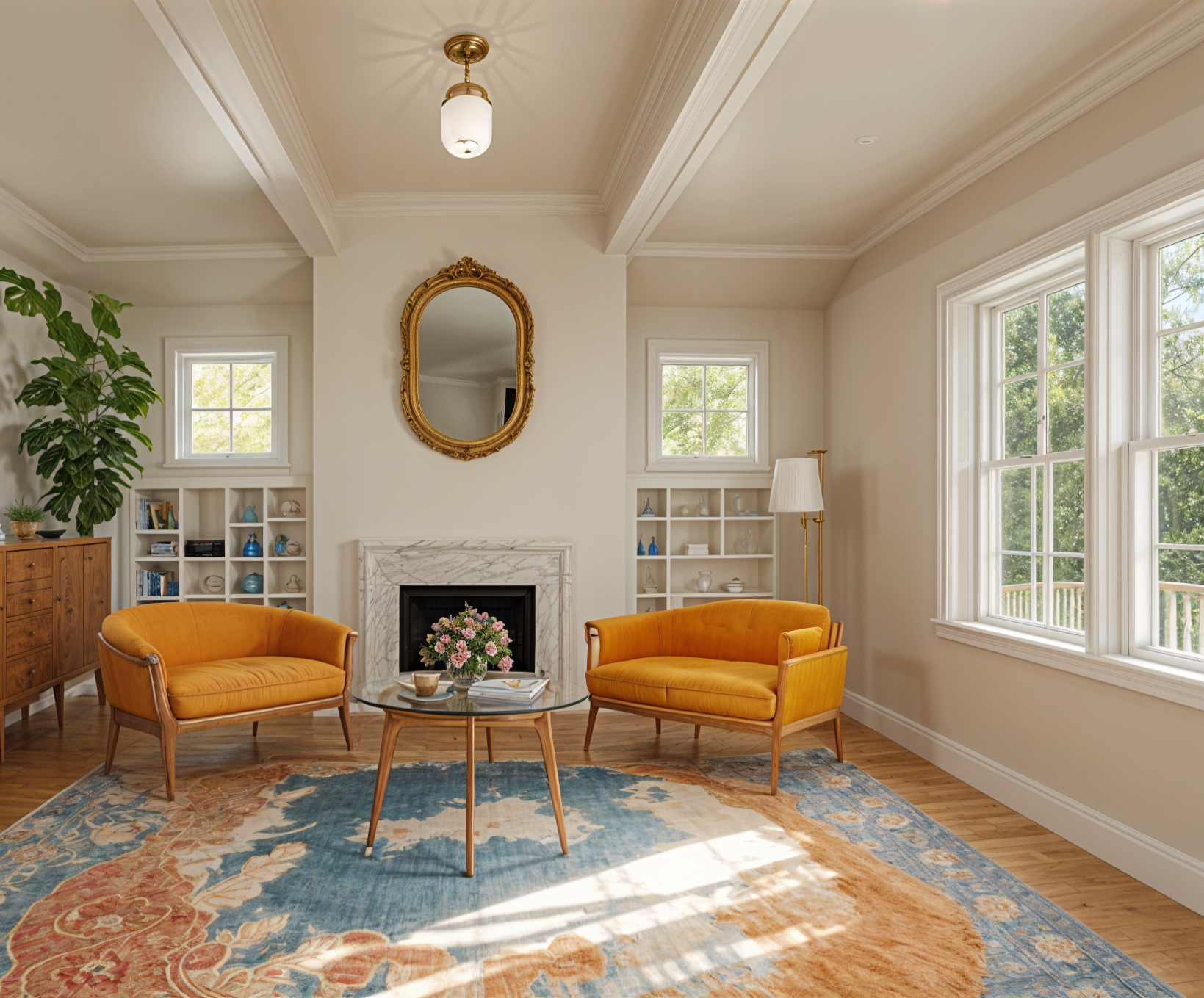
Short answer
Start from a photo of the room and say what to keep, what to change and the style, in that order: “Use the room in my photo. Keep the layout, windows and furniture. Add rugs, art, plants and lamps that suit how the room is used. Style: warm Japandi, light oak and linen. Keep the same camera angle.” Chat assistants that make images, such as ChatGPT and Gemini, take a prompt like this with your photo. In Remodeled AI you pick the room and style instead, and add your own words only for what must stay or change.
The redecorating prompt, part by part
A prompt that has been shared widely for redecorating reads: “I want help redecorating my space. Subject: use the room in the photo I provide. Keep the existing furniture intact. Add decorative pieces that logically suit the specific function and layout of the room. Do not output text. Style: use bold colors and playful shapes. Output an image.” It works because each sentence does one job:
- Subject. “Use the room in the photo I provide” stops the tool inventing a different room.
- What stays. “Keep the existing furniture intact” is the line most prompts forget. Without it, the sofa you own is replaced.
- What changes. “Add decorative pieces that suit the function and layout” limits the change to decor: rugs, cushions, art, plants, lamps.
- Style. “Bold colors and playful shapes” is the only part you need to change to get a different look. Swap in any style below.
- Output. “Do not output text” and “keep the camera angle consistent” keep the result comparable with your photo.
Prompts to copy, by job
Each one assumes you have attached a photo of the room. Change the words in the style sentence to suit your taste.
- Keep my furniture, add decor. “Use the room in my photo. Keep all furniture, the layout and the windows exactly as they are. Add a rug, cushions, curtains, art and plants that suit a living room. Style: warm and calm, with natural wood, linen and soft greens. Keep the same camera angle. Output an image.”
- Restyle the whole room. “Redesign the room in my photo in a mid-century modern style: walnut furniture, a low sofa, a globe pendant, mustard and teal accents. Keep the walls, windows, doors and ceiling where they are. Keep the same camera angle.”
- Change only the walls. “In my photo, paint the walls a soft sage green with a matte finish. Change nothing else: keep the furniture, floor, ceiling and lighting exactly the same.”
- Furnish an empty room. “Furnish the empty room in my photo as a bedroom: a queen bed against the longest wall, two nightstands, a rug and a reading chair by the window. Scandinavian style, light and uncluttered. Don’t change the walls, floor or windows.”
- Refresh a kitchen. “Keep the layout and appliances of the kitchen in my photo. Change the cabinets to navy shaker doors with brass handles, the counters to white quartz and the backsplash to white zellige tile.”
- Try a bolder look. “Redecorate the room in my photo with bold colors and playful shapes: a curved sofa, a patterned rug, colorful art and sculptural lamps. Keep the room’s layout and windows. Same camera angle.”
Using a prompt in Remodeled AI
- Open Remodel and upload a photo of the room.
- Pick the room type and a style. The style already carries the look, so you don’t need to describe it.
- Open “Your own direction” and say what to keep or change, for example “Keep the fireplace and the sofa, use oak floors and warm white walls.”
- To send a full prompt from this page as written, tick “Use only my words”. Otherwise your words are added to the room and style you picked.
- Compare the result with your photo on the slider, and try a second style.
What is free, and what needs a plan
A free account needs no card and covers living room, bedroom, bathroom, kitchen, dining room and office in 7 styles, with your own words included. On a paid plan, Edit takes a one-line change (“make the sofa green”) and leaves the rest of the room alone, and Imagine (Plus and Pro) makes a room from a description with no photo. See pricing.
Tips that matter more than the wording
- Start from a good photo. Shoot from a corner or doorway with the normal 1x lens, lights on, so the whole room is in frame.
- Say what must stay. Name the things you are keeping: the sofa, the floor, the window. Tools change what you don’t protect.
- Name materials and colors. “Oak, linen and sage green” gives a clearer result than “cozy”.
- One big change at a time. Walls, then furniture, then decor. A prompt that changes everything is hard to judge.
- Make two or three versions. Results vary from run to run. Compare a few before you decide.
A chat assistant or a design app?
A chat assistant that makes images is fine for one quick idea, and the prompts above work there. General image tools can also shift the camera angle, move a window or redraw furniture you asked to keep, so check the result against your photo. A room design app is built for this one job: it keeps the room’s structure, offers styles you can click through, shows before and after on a slider, and keeps each design beside its photo. How to redesign a room from a photo covers the app route step by step.
Common questions
- What is a good AI prompt to redesign my room?
- “Use the room in my photo. Keep the layout, windows and furniture. Add decor that suits how the room is used. Style: [your style]. Keep the same camera angle.” Change the style sentence to get a different look.
- Can ChatGPT or Gemini redesign my room from a photo?
- Yes. Both can edit a photo you upload from a written prompt. Check that the result kept your windows, layout and furniture, because general image tools sometimes change them.
- Do I need to write a prompt in Remodeled AI?
- No. You pick the room type and a style. Writing is optional, for what must stay or change, and “Use only my words” sends your own prompt as written.
- How do I keep my furniture when redesigning with AI?
- Say so in the prompt: “keep all furniture exactly as it is” and name the pieces. To change one item and nothing else, use a tool that edits one thing, such as Remodeled AI’s Edit on a paid plan.
- Why does the AI change my room’s layout?
- The prompt didn’t protect it, or the tool redraws the whole image. Add “keep the walls, windows, doors and camera angle” and try again.
Skip the prompt: pick a style
Upload a photo of your room, choose a style, and add your own words only if you want to. Free account, no card.
Redesign my room