Guide
How to redesign a room from a photo, step by step.
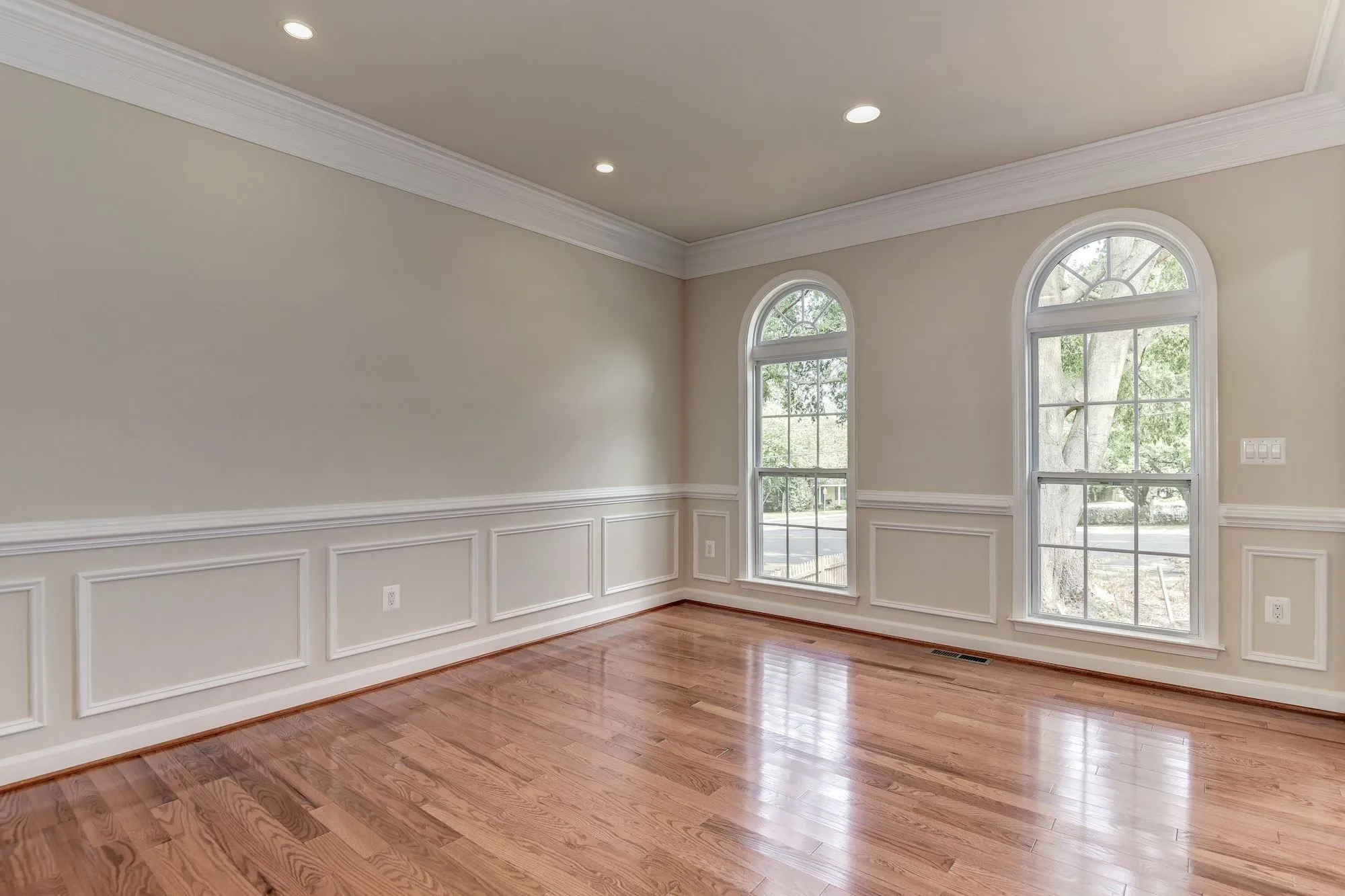
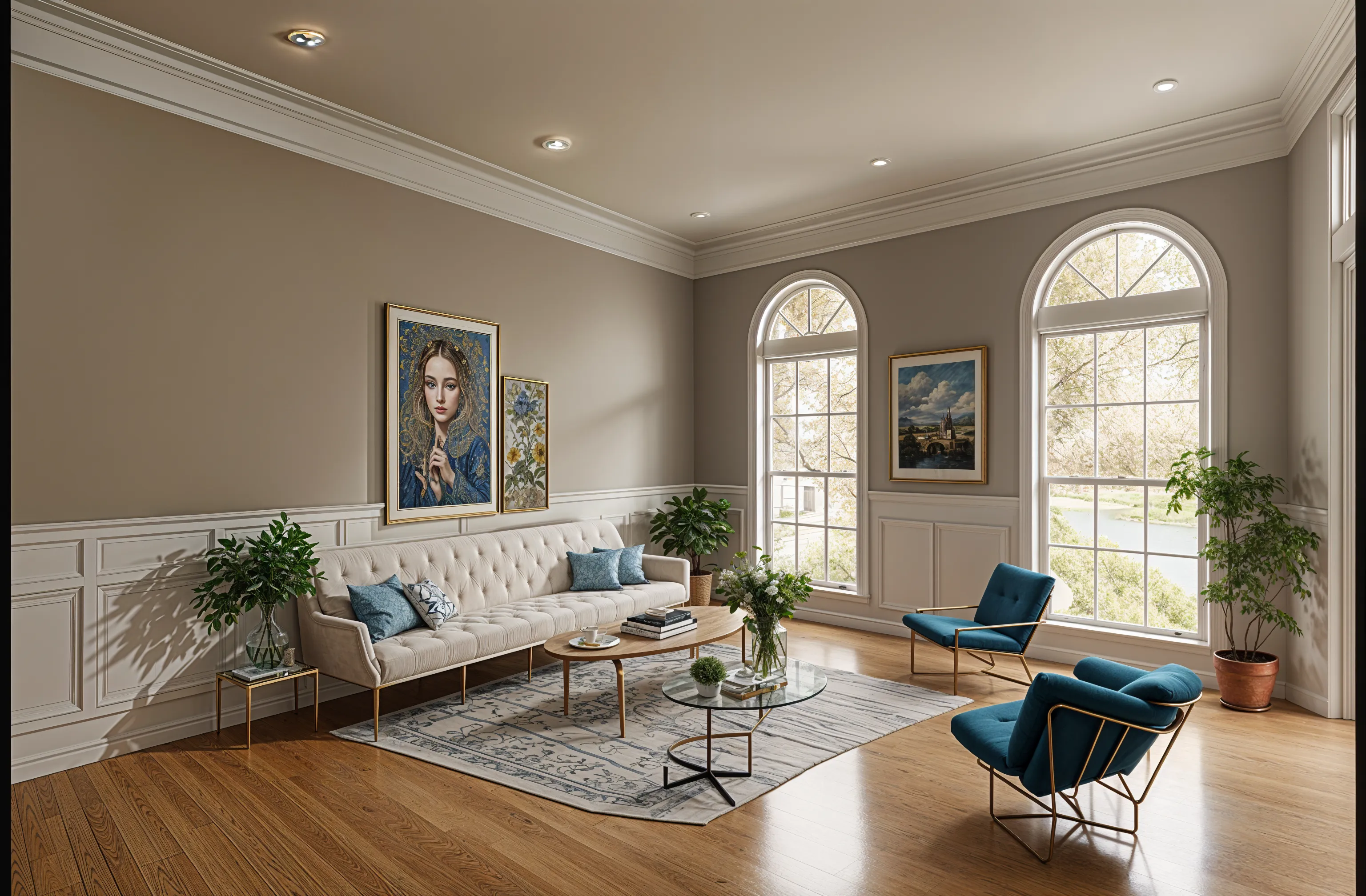
You take one photo of the room as it is, choose a style, and get the same room back restyled, with its walls and windows where they were. It takes about a minute. Getting a result you can use takes a little care with the photo and the instructions.
Updated
Short answer
To redesign a room from a photo, take a well-lit shot from a corner with your phone’s normal 1x lens, upload it to a photo redesign app such as Remodeled AI, choose the room type and a style, and compare the result with the original. Then run two more styles and refine the one you like. Remodeled AI does this on the web and iPhone with a free account and no card.
The steps
- Take the photo. Stand in a doorway or corner so the room reads as a whole. Use the normal 1x lens, turn the lights on, and avoid ultrawide and portrait mode.
- Upload it and choose the room and style. In Remodel, pick the room type and a style. A free account can pick from 7 styles in these rooms: living room, bedroom, bathroom, kitchen, dining room, office.
- Say what has to stay. Add your own direction in words, for example “keep the floor, the windows and the fireplace; change the furniture and wall color.”
- Compare before and after. Drag the slider across the room. Look at what changed and what you actually like about it.
- Try two more styles. Three versions of the same room show what you keep choosing: the pale wood, the darker walls, the lower sofa.
- Refine the one you like. On a paid plan, Edit changes one thing you describe and Brush changes only the area you paint over. Both leave the rest of the room alone.
- Save it. Every design is kept in your Library beside its original for a set time by plan. Download the ones you want to keep.
What changes, and what stays
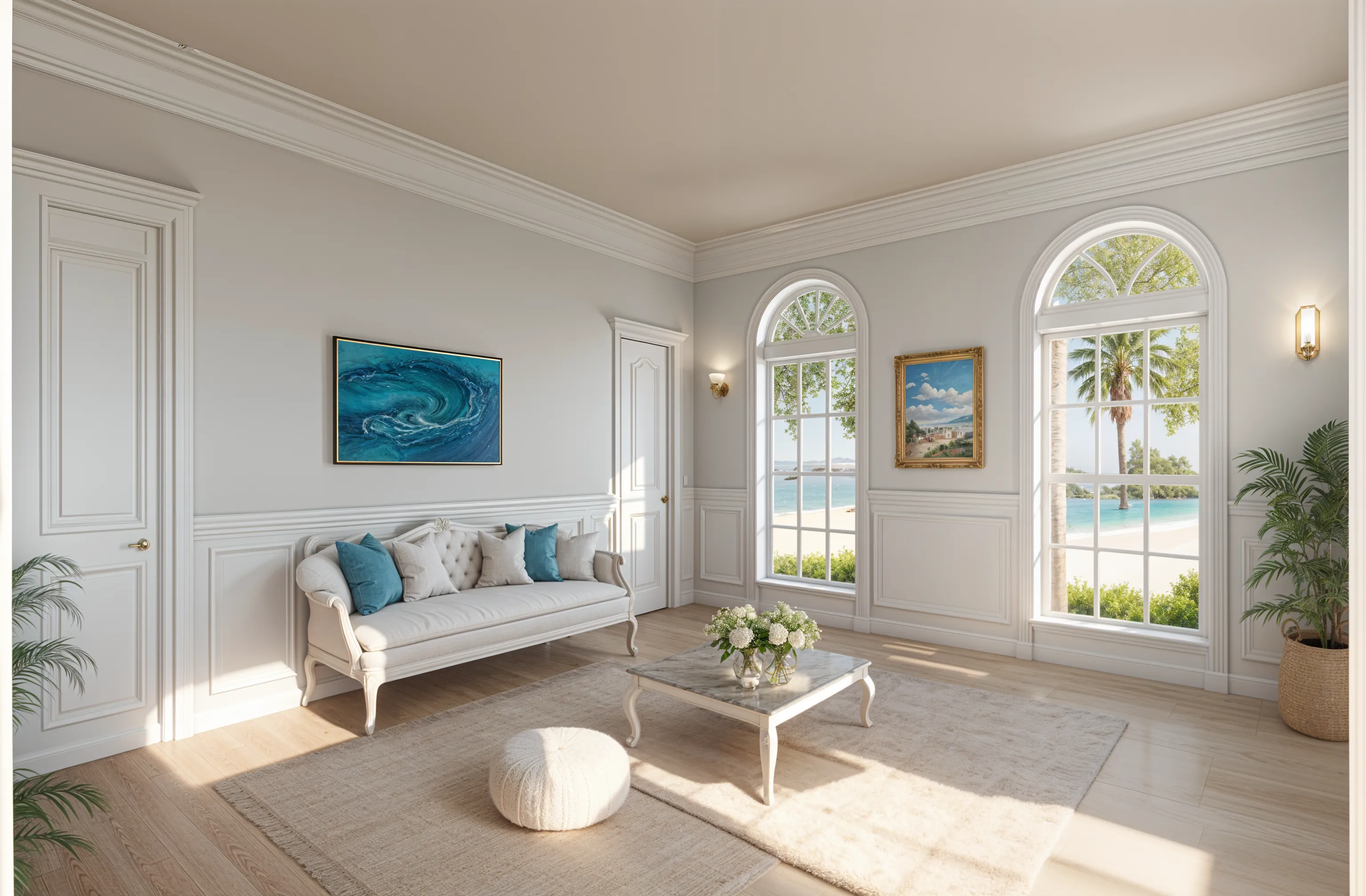
A redesign keeps the structure of the room: walls, windows, doors and the general proportions. It replaces what sits in it and on it, such as furniture, colors, flooring, lighting and decor. It can change more than you asked for, which is why saying what must stay matters. If a design alters something fixed, run it again or switch to Edit for a single change.
Photos that give poor results
- Dark or blurry photos, where the app has to guess at the room.
- Ultrawide shots, which bend the walls.
- Close-ups of one piece of furniture, with no room around it.
- Rooms photographed through a doorway that hides half of them.
What it won’t give you
The result is an image. It has no measurements, no product names and no prices, and nothing in it is checked for fit. Use it to decide on a direction and to show someone else what you mean, then measure before you buy.
Apps that redesign a room from a photo
These all take one photo and return the room restyled. They differ in price, in what is free and in where they run.
Keep working on one design, on web or iPhone: Remodeled AI
A free account with no card, dozens of styles, and Edit and Brush on paid plans for single changes. Designs are saved beside their originals.
A quick one-off, paid once: RoomGPT
Upload, pick a preset theme, get a design. Credits are sold in one-time packs instead of a subscription. Remodeled AI vs RoomGPT
Unlimited redesigns for a flat price, or Android: Decor8 AI
One monthly plan, with apps for iPhone, Android and Mac as well as the web. Remodeled AI vs Decor8 AI
Unlimited designs in a browser: DecorAI
No credits to count, with item edits and a brush tool included. Remodeled AI vs DecorAI
One surface at a time: Paintit.ai
Separate tools for paint, flooring, cabinets, rugs and curtains. Remodeled AI vs Paintit.ai
| App | Kind of tool | Lowest paid price | Free to try | Runs on |
|---|---|---|---|---|
| Remodeled AI | Photo redesign | $13 a month, or $91 a year | Free account with starter credits, no card needed | Web, iPhone |
| RoomGPT | Photo redesign | $9 for 30 credits, paid once (as reported) | A few free designs when you sign up (reported as 1 to 3) | Web |
| Decor8 AI | Photo redesign | $14.99 a month | No free plan listed on its pricing page | Web, iPhone, Android |
| DecorAI | Photo redesign | $24 a month, or $240 a year | A one-day trial with 3 designs, then $24 a month | Web |
| Paintit.ai | Photo redesign | $14.99 a month | 30 free credits at 1K resolution, no card needed | Web |
We make Remodeled AI. Prices are in US dollars, as listed on each product’s own site on November 11, 2026.
Common questions
- What is the best AI app to redesign a room from a photo?
- For restyling your own room and then refining one design, on the web or iPhone, Remodeled AI. For a single quick restyle paid once, RoomGPT. For unlimited designs at a flat price, Decor8 AI or DecorAI.
- Can I redesign a room from a photo for free?
- Yes. Remodeled AI has a free account with starter credits and no card, which is enough to try Remodel on a room. Single-item edits and empty-room staging need a paid plan.
- How long does it take?
- Most designs arrive in under a minute. The most detailed finishes take a little longer.
- Will it keep my furniture?
- Only if you ask. Say what should stay in your own direction and check the result on the slider. For one change at a time, Edit and Brush are designed to leave everything else alone.
How we checked
Each app’s price, free tier and tools were read from its own site and are kept in one file per app, which this page and our comparisons both render from. Products change, so check a product’s site before you buy. If something here is out of date or wrong, email contact@remodeled.ai and we will correct it.
Try it on your own room
Upload a photo, pick a style, and compare the result with the room you have now. Free to start, no card.
Redesign my room