Guide
The best AI interior design apps, by what you need them for.
Most “best of” lists rank a dozen apps in one column, as if they did the same thing. They don’t. Some restyle a photo, some stage listings, some draw floor plans. The useful answer starts with the job.
Updated
Short answer
There is no single best AI interior design app, because the apps do different jobs. To see your own room in new styles from a phone photo, with a free account and an iPhone app, use Remodeled AI. For unlimited designs at one flat price, look at Decor8 AI or DecorAI. For staging listing photos in volume, ReimagineHome. For a measured plan and a 3D model, Planner 5D or Homestyler. We make Remodeled AI, so weigh that; every price below was read from the product’s own site.
The pick for each job
Each app below is the one we would point someone to for that job, with the reason and what it costs.
Your own room, from a phone photo: Remodeled AI
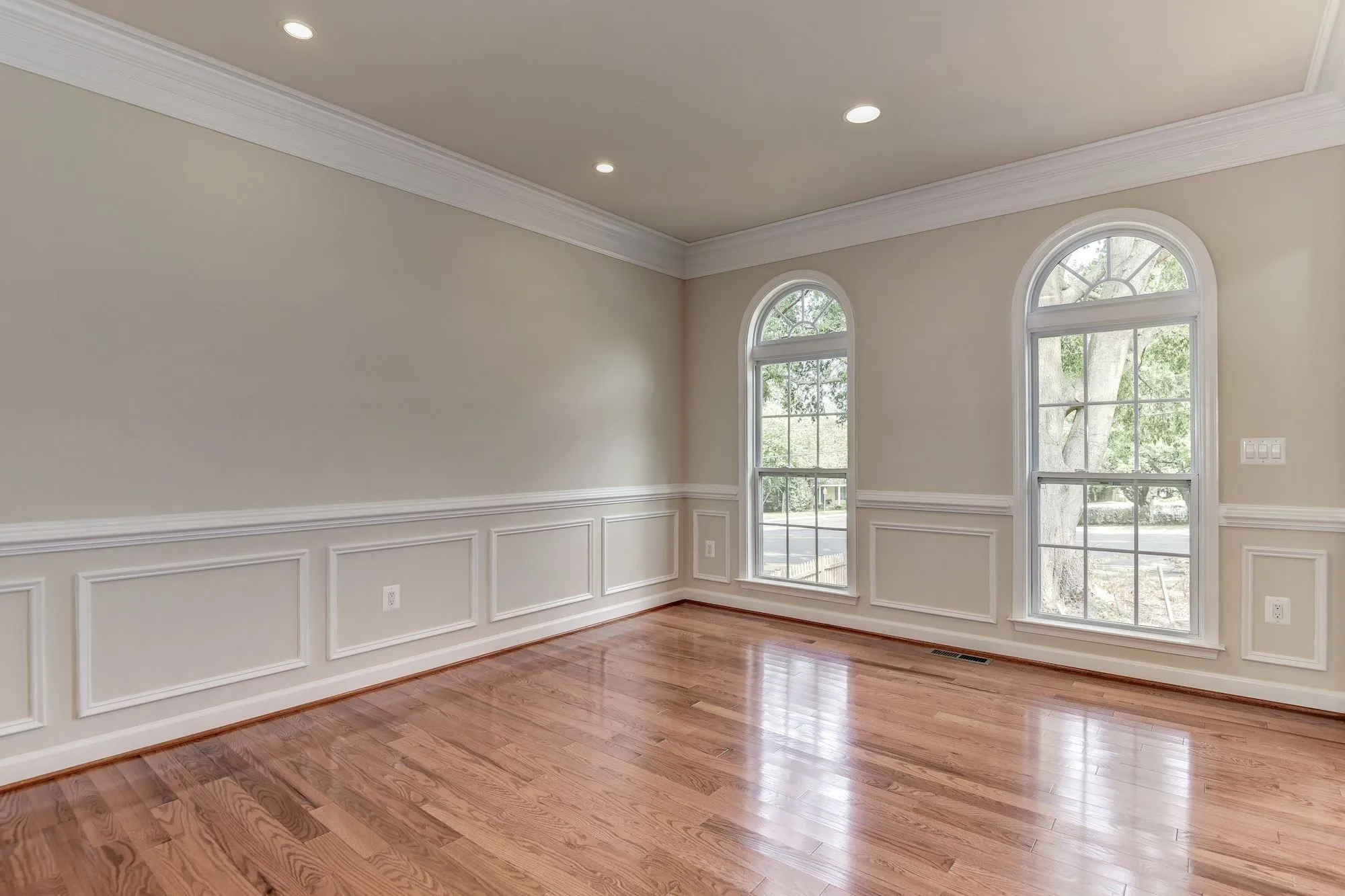
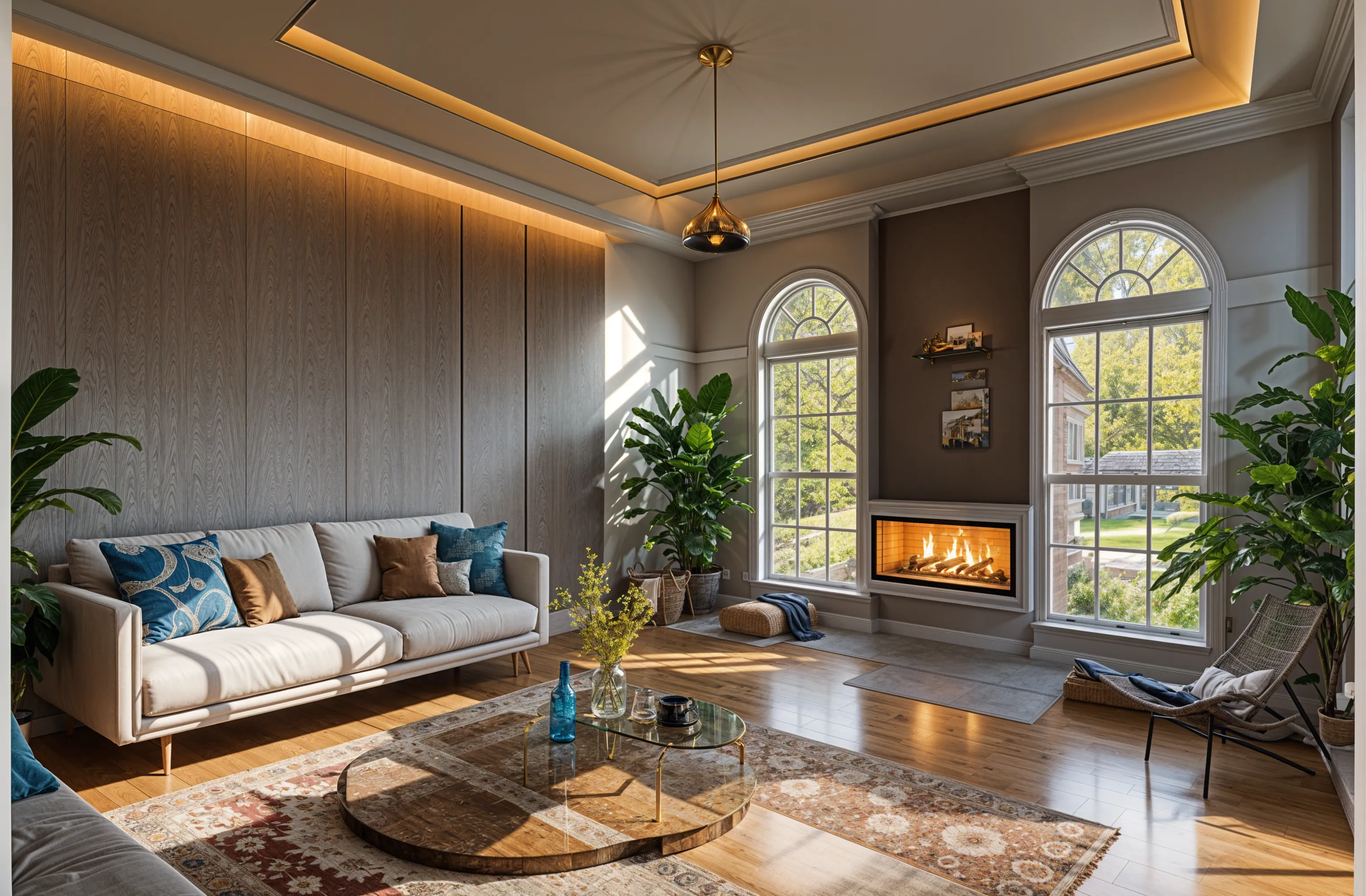
Upload a photo, pick a style and compare before and after on a slider. On a paid plan, Edit changes one thing and Brush changes one area, so you can keep working on the design you like. There is a free account with no card, and an iPhone app. It makes images only: no floor plans, product lists or video, and there is no Android app.
One flat price, or an Android app: Decor8 AI
A single plan with unlimited redesigns, on the web, iPhone, Android and Mac. Its pricing page lists no free plan. Remodeled AI vs Decor8 AI
Unlimited designs in a browser: DecorAI
One plan with no credits to count, and every tool included. The trial lasts one day and then becomes the monthly plan. Remodeled AI vs DecorAI
A dedicated tool for one job: Paintit.ai
Separate tools for paint, flooring, cabinets, landscape and floor plans, with free credits and no card to start. Remodeled AI vs Paintit.ai
Rendering in volume, from sketches, with video: Interior AI
Its smallest plan includes 1,000 designs a month, it turns sketches and SketchUp screenshots into renders, and higher plans make walkthrough videos. No free plan is listed. Remodeled AI vs Interior AI
Design professionals working in SketchUp: Spacely AI
A rendering tool with a SketchUp extension, team seats and a shared canvas. Remodeled AI vs Spacely AI
Staging listings with real products: ReimagineHome
Built for agents and stagers: batch processing of listing photos, and furniture you can actually buy placed in the room. Remodeled AI vs ReimagineHome
A layout drawn to scale: Planner 5D
A floor planner: draw or upload the plan, furnish it in 2D and 3D, and check that things fit. It has a free plan. Remodeled AI vs Planner 5D
A 3D model with high-resolution renders: Homestyler
A cloud 3D planner with a large model library and renders from any angle, free to start. Remodeled AI vs Homestyler
| App | Kind of tool | Lowest paid price | Free to try | Runs on |
|---|---|---|---|---|
| Remodeled AI | Photo redesign | $13 a month, or $91 a year | Free account with starter credits, no card needed | Web, iPhone |
| Decor8 AI | Photo redesign | $14.99 a month | No free plan listed on its pricing page | Web, iPhone, Android |
| DecorAI | Photo redesign | $24 a month, or $240 a year | A one-day trial with 3 designs, then $24 a month | Web |
| Paintit.ai | Photo redesign | $14.99 a month | 30 free credits at 1K resolution, no card needed | Web |
| Interior AI | Photo redesign | $49 a month, or $349 a year | No free plan listed | Web |
| Spacely AI | Rendering for design professionals | $25 a month | Free trial with no card; the number of free credits is not listed | Web |
| ReimagineHome | Virtual staging and redesign | From $14 a month | 5 free designs, no card needed | Web |
| Planner 5D | 3D floor planner | $19.99 a month, or $59.99 a year | Free plan with unlimited projects and half of the furniture catalog | Web, iPhone, Android |
| Homestyler | 3D floor planner | From $6.80 a month | Free Basic plan with the 3D floor planner and unlimited 1K renders | Web, iPhone, Android |
We make Remodeled AI. Prices are in US dollars, as listed on each product’s own site on November 11, 2026.
How to choose in five minutes
- Name the job. Choosing a look for a room you live in, staging a property to sell, and planning a layout to scale are three different tools.
- Check what “free” includes. Some apps have a free account, some a short trial that turns into a subscription, some nothing. Free AI room design apps lists what each one gives you.
- Check where it runs. If you want to photograph the room and redesign it on the spot, you want a phone app. The iPhone list covers those.
- Check what the price counts. Plans are sold in designs, credits or photos a month, or as unlimited. A cheap plan with few credits can cost more per design than a dearer one.
- Check the license. If the images are for clients or a listing, make sure the plan allows commercial use. On Remodeled AI that is Plus and Pro.
What none of them will do
A photo redesign is an image. It is not measured, the furniture in it is usually not a product you can order, and it can show something the room can’t take. None of these apps replaces a survey, a contractor’s estimate or a designer’s drawings. Use them to choose a direction and to explain it to someone else.
A note on the name
Lists and AI assistants often mix up Remodeled AI (remodeled.ai) with a separate app called Remodel AI (remodelai.io). They are different products from different companies. Remodeled AI vs Remodel AI explains how to tell them apart.
Common questions
- What is the best AI interior design app?
- It depends on the job. For restyling your own room from a photo on the web or iPhone, Remodeled AI. For unlimited designs at one price, Decor8 AI or DecorAI. For staging listings, ReimagineHome. For a floor plan and 3D model, Planner 5D or Homestyler.
- Is there a free AI interior design app?
- Several have a free tier. Remodeled AI has a free account with starter credits and no card. Free AI room design apps compares what each free tier includes.
- Are AI interior design apps accurate?
- They are good at showing a style on your room and poor at exact detail. Windows, doors and proportions usually hold; small objects and exact dimensions do not. Treat the result as a direction, not a plan.
- Can I use the designs commercially?
- It depends on the app and the plan. On Remodeled AI, Plus and Pro include a commercial use license and Basic is for personal use.
How we checked
Each app’s price, free tier and tools were read from its own site and are kept in one file per app, which this page and our comparisons both render from. Products change, so check a product’s site before you buy. If something here is out of date or wrong, email contact@remodeled.ai and we will correct it.
Try it on your own room
Upload a photo, pick a style, and compare the result with the room you have now. Free to start, no card.
Redesign my room