Guide
The best AI virtual staging apps for realtors, by how many listings you stage.
Physical staging means renting and moving furniture. AI staging works on the photos you already have, in seconds, for somewhere between thirty cents and a little over a dollar a photo. The apps differ mostly in how they charge and in what else they do to a listing photo.
Updated
Short answer
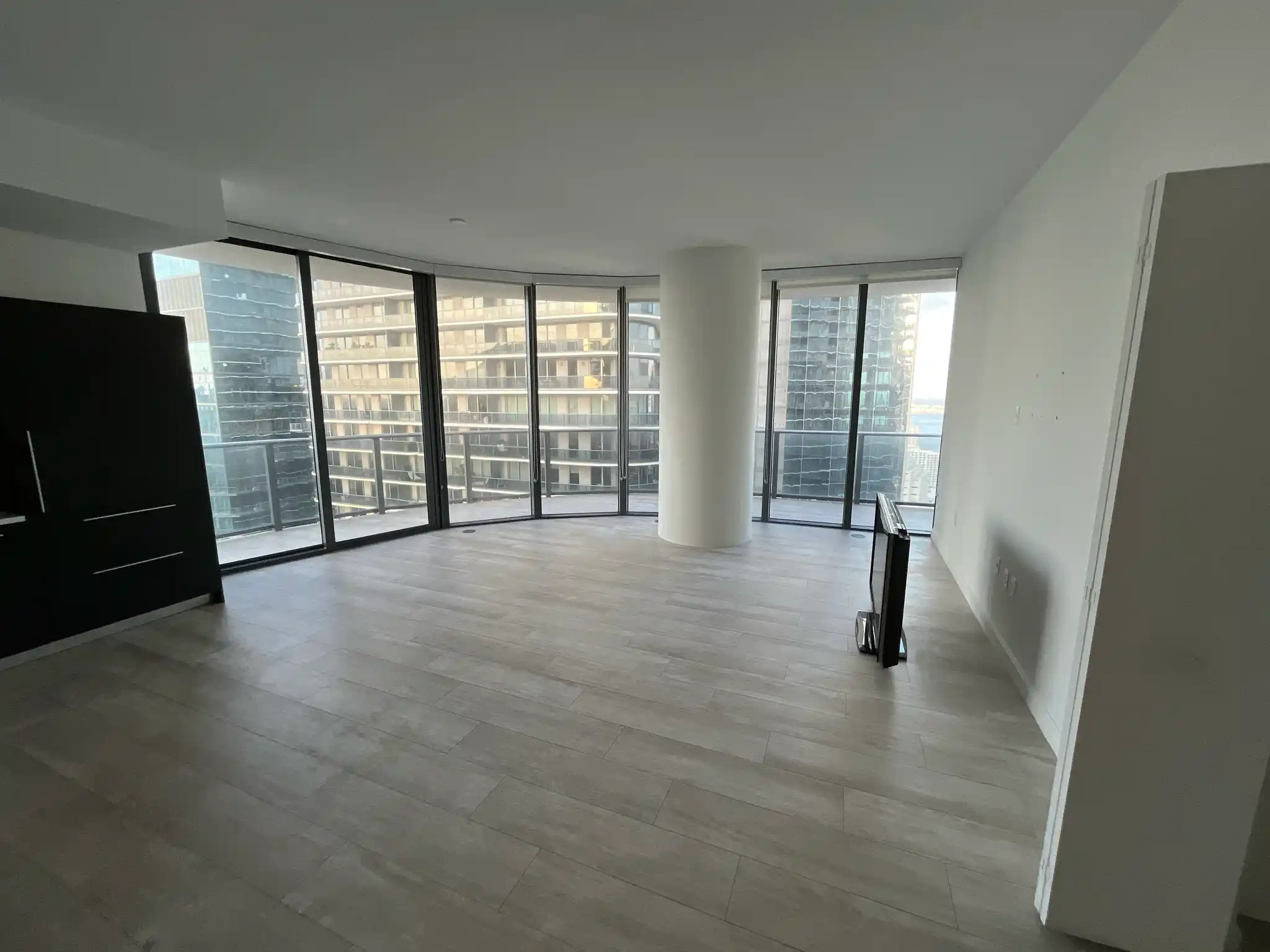
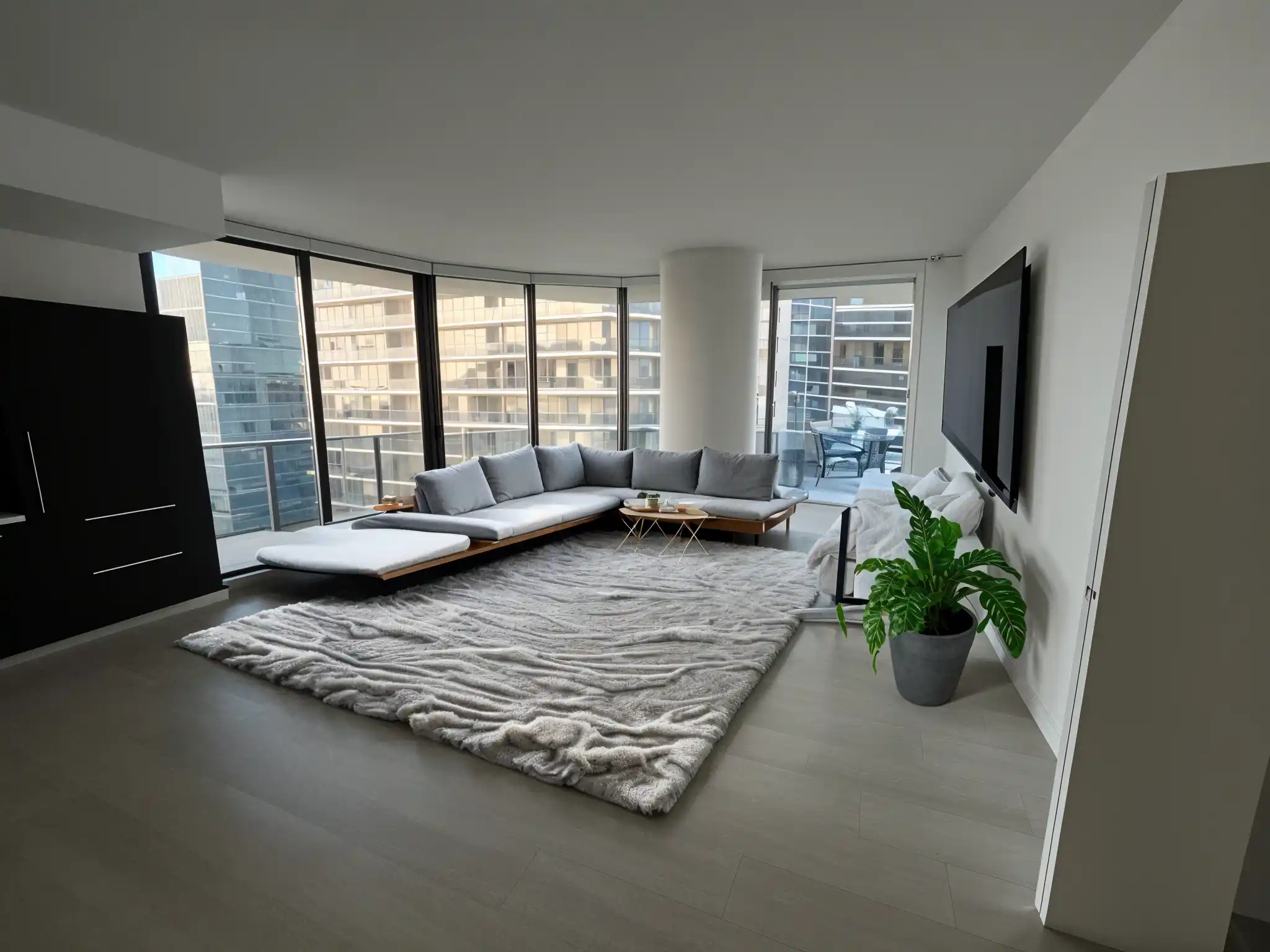
The best AI virtual staging app depends on volume. An agent or seller staging a handful of rooms from a phone can use Remodeled AI, which also restyles furnished rooms; Stage needs a paid plan. For staging every month, Virtual Staging AI and Collov AI are priced by the photo. ReimagineHome adds batch processing and real products, and AI HomeDesign adds listing fixes such as day to dusk. Whichever you use, label staged photos as your MLS requires.
The pick for each kind of agent
Prices are each product’s own, read from its site. We make Remodeled AI; it is the right pick for the first case and not for the others.
A handful of rooms, from your phone: Remodeled AI
Stage furnishes an empty room piece by piece, the same editor clears clutter, and Remodel restyles a dated room. It has an iPhone app. Stage needs a paid plan, and Plus and Pro include the commercial use license that listing work needs.
Staging every month, priced by the photo: Virtual Staging AI
Plans are counted in photos, each with unlimited revisions, and it removes existing furniture first. You can try an upload with no sign-up. Remodeled AI vs Virtual Staging AI
Staging plus listing marketing: Collov AI
Stages rooms and, on higher plans, adds day to dusk, lawn and season edits, 360° panoramas and virtual tours. Remodeled AI vs Collov AI
Batches of listings, with real products: ReimagineHome
Batch processing for listing photos, and furniture from real retailers placed in the room. Five free designs with no card. Remodeled AI vs ReimagineHome
Photographers who also fix listing photos: AI HomeDesign
Thirteen tools: staging, item removal, HDR, day to dusk and changes to walls and floors, priced by the photo. Remodeled AI vs AI HomeDesign
Very high volume: Interior AI
Thousands of designs a month, with staging listed on its Premium plan and above. Remodeled AI vs Interior AI
| App | Kind of tool | Lowest paid price | Free to try | Runs on |
|---|---|---|---|---|
| Remodeled AI | Photo redesign | $13 a month, or $91 a year | Free account with starter credits, no card needed | Web, iPhone |
| Virtual Staging AI | Virtual staging | $29 a month for 25 photos (its home page also mentions $16 a month for 6) | Free uploads with no sign-up or card | Web |
| Collov AI | Virtual staging and listing photos | $19 a month, or $228 a year | Free tries with a watermark | Web |
| ReimagineHome | Virtual staging and redesign | From $14 a month | 5 free designs, no card needed | Web |
| AI HomeDesign | Real estate photo editing and staging | $35 a month, or $228 a year | Free trial of about three watermarked photos, no card needed | Web |
| Interior AI | Photo redesign | $49 a month, or $349 a year | No free plan listed | Web |
We make Remodeled AI. Prices are in US dollars, as listed on each product’s own site on November 11, 2026.
How the pricing models differ
- By the photo. Virtual Staging AI, Collov AI and AI HomeDesign sell a number of photos or photo credits a month. Easy to budget per listing.
- By the credit. ReimagineHome and Remodeled AI use credits, where one change costs a set number. On Remodeled AI each Stage change uses credits, so furnishing a room piece by piece costs more than a single restyle.
- By the plan. Interior AI sells a large monthly allowance of designs, which only pays off at volume.
What to stage first
- The living room: it is the lead photo on most listings.
- The primary bedroom.
- The dining area or an awkward room whose use isn’t obvious when empty.
- Leave kitchens and bathrooms as they are, apart from clearing clutter, so the photo shows what is really there.

Disclosure
A staged photo shows furniture that isn’t in the house. Most listing services expect staged photos to be labeled, and many require it. Check your MLS rules, keep every original, and never use staging or cleanup to hide a defect a buyer would want to know about.
What Remodeled AI costs for listing work
Plus is $39 a month, or $264 a year and Pro is $99 a month, or $684 a year. Both include a commercial use license. Basic is for personal use only, and a free account doesn’t include Stage. See pricing, and the guide for realtors for a full workflow.
Common questions
- What is the best AI virtual staging app for realtors?
- For a few rooms at a time from a phone, Remodeled AI. For regular staging priced by the photo, Virtual Staging AI or Collov AI. For batches with real products, ReimagineHome. For staging plus photo fixes such as day to dusk, AI HomeDesign.
- How much does AI virtual staging cost?
- From about thirty cents to a little over a dollar a photo on the tools priced that way. Virtual Staging AI lists $29 a month for 25 photos, Collov AI $19 a month for 60 photo credits, and AI HomeDesign $35 a month for 30 photos. Each comparison page has the full plans.
- Is virtual staging allowed on the MLS?
- Generally yes, with disclosure. Rules differ by MLS, so check yours, label staged photos, and keep the originals.
- Is there free AI virtual staging?
- Some tools let you try it: Virtual Staging AI offers free uploads with no sign-up, and ReimagineHome gives 5 free designs. On Remodeled AI, staging needs a paid plan; the free account covers restyling a room with Remodel.
How we checked
Each app’s price, free tier and tools were read from its own site and are kept in one file per app, which this page and our comparisons both render from. Products change, so check a product’s site before you buy. If something here is out of date or wrong, email contact@remodeled.ai and we will correct it.
Stage a room from your listing
Upload a photo of an empty room and furnish it in the editor. Stage is included with every paid plan.
Stage a room