Free AI virtual staging, and what you can do with it.
Several AI apps will furnish a photo of an empty room for nothing, so you can see how a space could look before paying anyone. The catch is usually in what comes after: watermarks, low resolution, or a license that doesn’t cover a listing.
Updated

Short answer
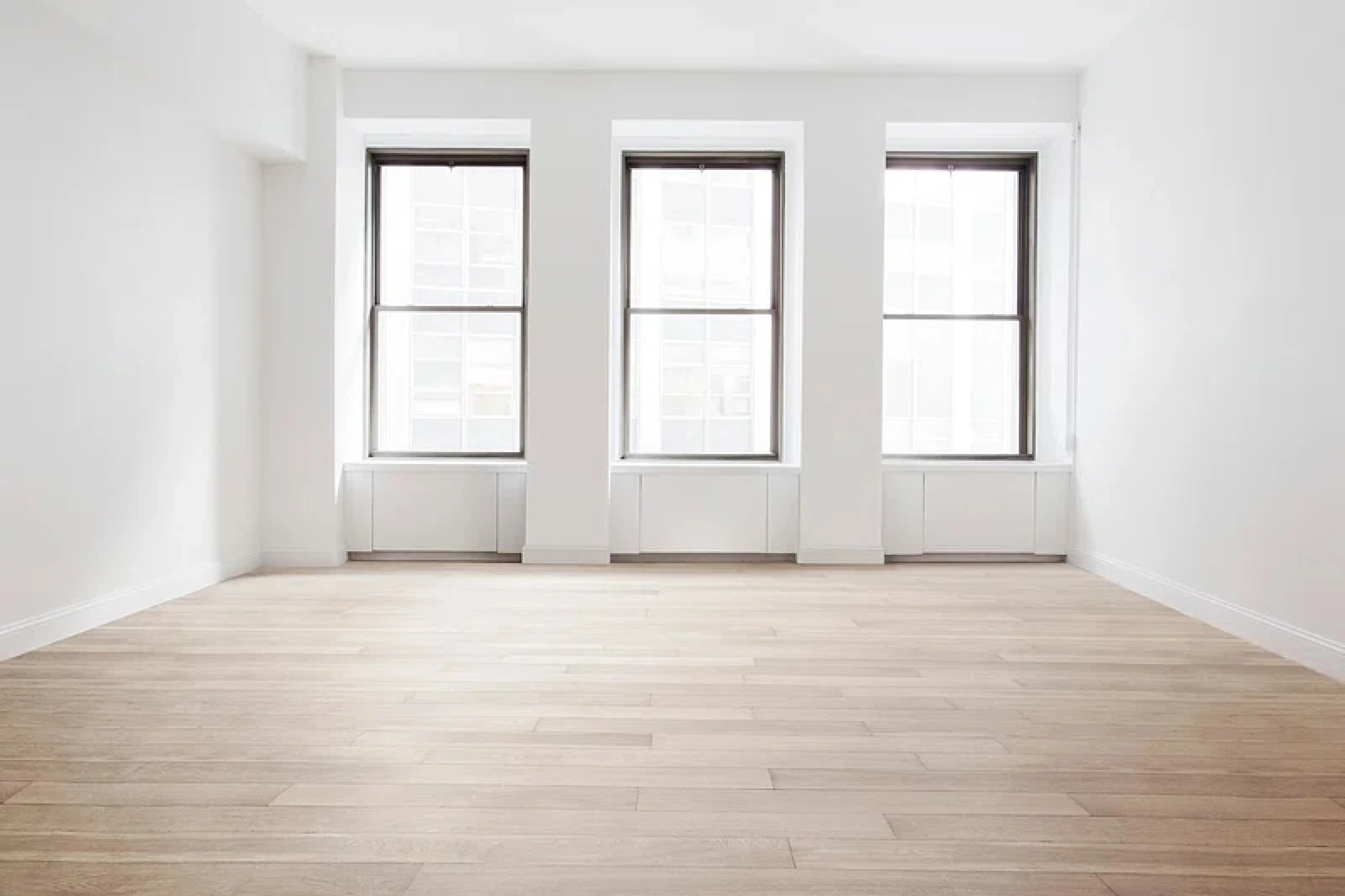
Yes, for a few rooms. Remodeled AI’s free account, with no card, stages living rooms, bedrooms, bathrooms, kitchens, dining rooms and offices in 7 styles: switch Remodel to Stage, upload the empty room and pick a style, and the walls, floors and windows stay as photographed. Virtual Staging AI offers free uploads with no sign-up or card. ReimagineHome gives 5 free designs, no card needed. AI HomeDesign has a trial of about three watermarked photos, no card needed. None is unlimited. To use staged photos in a listing, check the license: on Remodeled AI that means Plus or Pro.
Where you can stage a room free
Each free tier is as the product describes it on its own site. Free tiers change often, so check before you upload a listing’s worth of photos.
Stage an empty room free, in the browser: Remodeled AI
Stage keeps the walls, floors, windows and fixtures as photographed and adds furniture in the style you pick. The free account covers living rooms, bedrooms, bathrooms, kitchens, dining rooms and offices; Plus and Pro add every room type and the commercial use license for listings.
Try an upload without an account: Virtual Staging AI
Built only for staging listing photos, and it can remove existing furniture first. Remodeled AI vs Virtual Staging AI
A few free designs, staging and redesign: ReimagineHome
Stages rooms and restyles furnished ones, with batch processing on paid plans. Remodeled AI vs ReimagineHome
Free credits across many single tools: Paintit.ai
Lists staging among its separate tools for paint, flooring and exteriors. Free images are 1K resolution. Remodeled AI vs Paintit.ai
Listing photos, watermarked until you pay: AI HomeDesign
A set of listing tools: staging, item removal, HDR and day to dusk. Remodeled AI vs AI HomeDesign
Watermarked tries, then per-photo plans: Collov AI
Staging and listing marketing tools; its Standard plan lists a commercial license. Remodeled AI vs Collov AI
| App | Kind of tool | Lowest paid price | Free to try | Runs on |
|---|---|---|---|---|
| Remodeled AI | Photo redesign | $13 a month, or $91 a year | Free account with starter credits, no card needed | Web, iPhone |
| Virtual Staging AI | Virtual staging | $29 a month for 25 photos (its home page also mentions $16 a month for 6) | Free uploads with no sign-up or card | Web |
| ReimagineHome | Virtual staging and redesign | From $14 a month | 5 free designs, no card needed | Web |
| Paintit.ai | Photo redesign | $14.99 a month | 30 free credits at 1K resolution, no card needed | Web |
| AI HomeDesign | Real estate photo editing and staging | $35 a month, or $228 a year | Free trial of about three watermarked photos, no card needed | Web |
| Collov AI | Virtual staging and listing photos | $19 a month, or $228 a year | Free tries with a watermark | Web |
We make Remodeled AI. Prices are in US dollars, as listed on each product’s own site on November 21, 2026.
Staging a room free with Remodeled AI
- Photograph the empty room from a corner with the normal 1x lens, in daylight with the lights on, so the floor and at least two walls are in frame.
- Create a free account with Google or an email address. No card is asked for.
- Open Remodel, switch it to Stage, upload the photo, and pick the room type and a style.
- Under “Your ideas”, add anything that matters, such as “a queen bed facing the window”.
- Compare the staged room with the empty one on the slider, and download the ones you like.
What to check before a staged photo goes in a listing
- The license. Free tiers are often for personal use. On Remodeled AI, Plus ($39 a month, or $264 a year) and Pro include a commercial use license; the free account and Basic don’t.
- Watermarks and resolution. Several free tries are watermarked or small. Fine for deciding on a look; not for a listing.
- The room itself. Staging should add furniture, not change the walls, floors or windows. Compare with the original before you publish.
- Disclosure. Label virtually staged photos as your MLS and local rules require, and keep the original photo in the listing or on hand.
When free is enough
Free staging is enough to decide how to furnish a room you live in, to show a seller what an empty room could look like, or to compare a few styles before paying for a tool. For staging listings every month, the per-photo plans in the best AI virtual staging apps work out cheaper than paying for one-off designs.
Common questions
- Is there a free AI virtual staging app?
- Several let you try it. Remodeled AI’s free account stages living rooms, bedrooms, bathrooms, kitchens, dining rooms and offices with no card; Virtual Staging AI offers free uploads with no sign-up or card; ReimagineHome gives 5 free designs, no card needed. None is unlimited.
- Can I use free virtually staged photos in a listing?
- Check the license first: many free tiers are for personal use or add a watermark. On Remodeled AI, listing use needs Plus or Pro, which include a commercial use license. Label staged photos as your MLS requires.
- Does virtual staging change the walls or floors?
- It shouldn’t. In Remodeled AI, Stage adds furniture and decor only, and the walls, floors, windows, doors and light fixtures stay as photographed. Compare the result with your photo in any tool before you use it.
- Can I stage a room on my phone for free?
- Yes. Open remodeled.ai in your phone’s browser, create a free account and switch Remodel to Stage. Virtual Staging AI and ReimagineHome are web apps too, so they open in a phone browser.
How we checked
Each app’s price, free tier and tools were read from its own site and are kept in one file per app, which this page and our comparisons both render from. Products change, so check a product’s site before you buy. If something here is out of date or wrong, email contact@remodeled.ai and we will correct it.
Stage an empty room free
Upload a photo of the empty room, pick a style, and compare it with the photo you have. Free account, no card.
Stage a room