A contemporary kitchen, tried on your own kitchen.
Contemporary kitchens follow current taste: sleek flat cabinets, mixed finishes, darker accents and lighting built into the cabinets. Because the look depends on contrast and light, it changes a lot from one kitchen to the next.
Updated
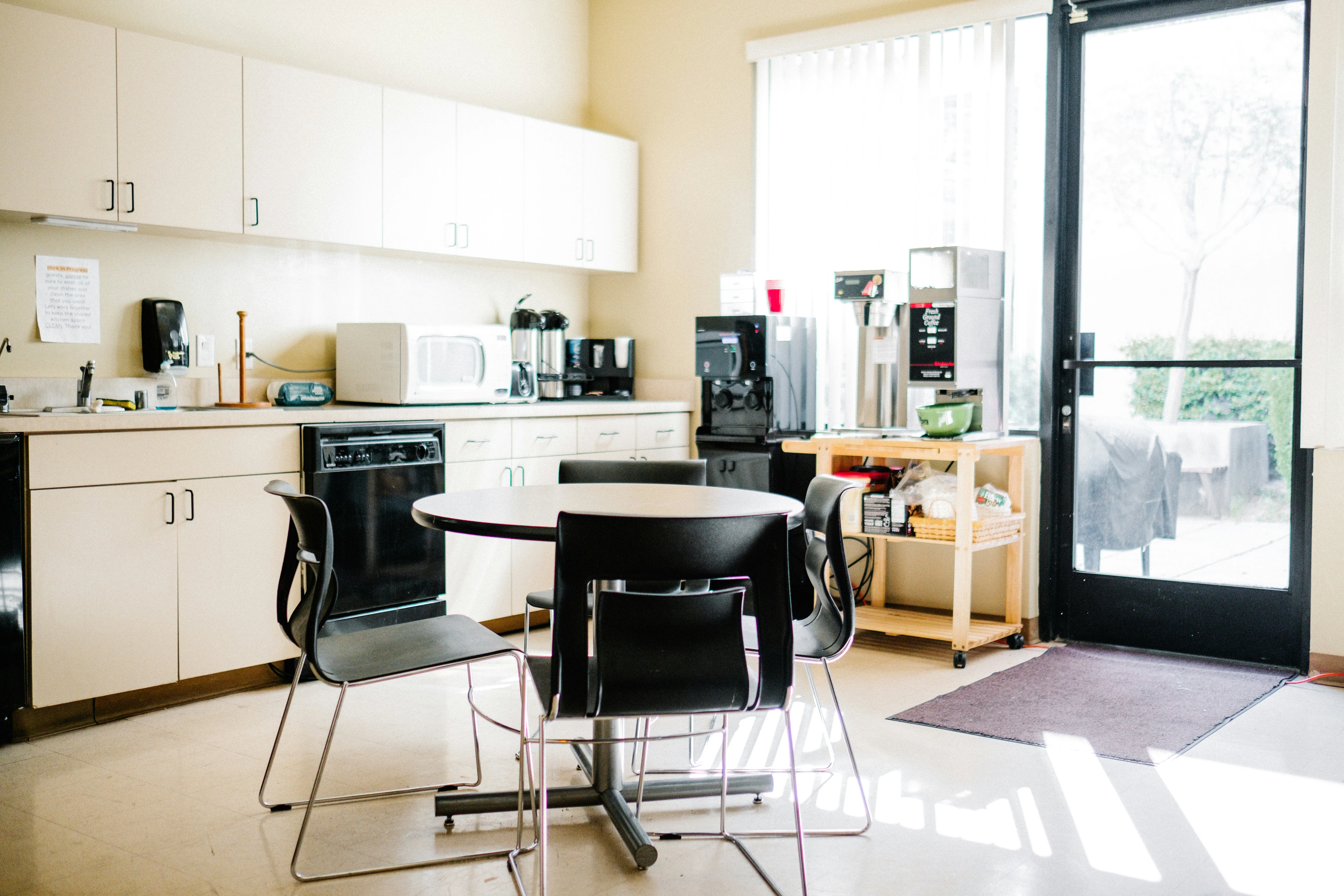
Short answer
A contemporary kitchen combines flat or slim-framed cabinets, mixed finishes such as matte color beside wood or stone, dark accents and concealed lighting. To see it on your own kitchen, upload a photo to Remodeled AI and choose the Kitchen room type and the Contemporary style. On the web, both are included with a free account, with starter credits and no card.
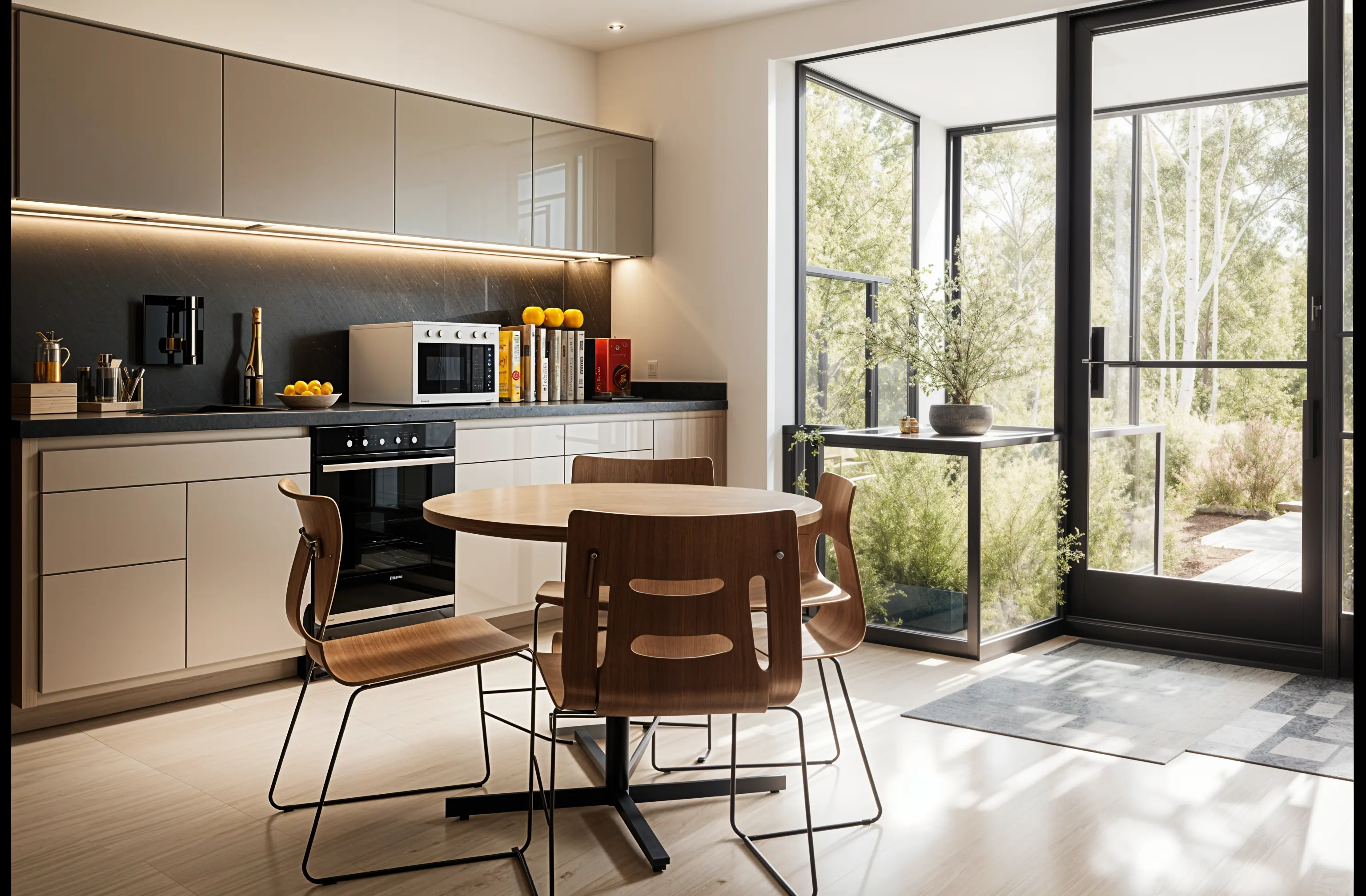
What makes a contemporary kitchen
- Sleek cabinets. Flat or slim-framed doors, often handleless or with long slim pulls.
- Mixed finishes. Two cabinet tones, or matte color beside wood, stone or metal.
- Dark accents. A charcoal backsplash, black taps or black window frames against paler cabinets.
- Concealed lighting. Strips under wall cabinets and shelves, with recessed lights overhead.
- A strong counter. Stone or composite with a slim edge, sometimes carried up the wall as the backsplash.
What to check on your own kitchen
A photo of someone else’s kitchen can’t tell you how the style sits with your light, your proportions and the things you are keeping. These are the points to look at once it is on your photo:
- Contrast. Dark surfaces need light. See whether a dark backsplash or counter makes your kitchen feel smaller.
- Lighting you would need. Much of the effect is under-cabinet lighting. Ask an electrician what it involves in your kitchen.
- Windows and doors. A design may restyle the window or door frames. Decide whether that is in your budget, or whether the cabinets alone are the project.
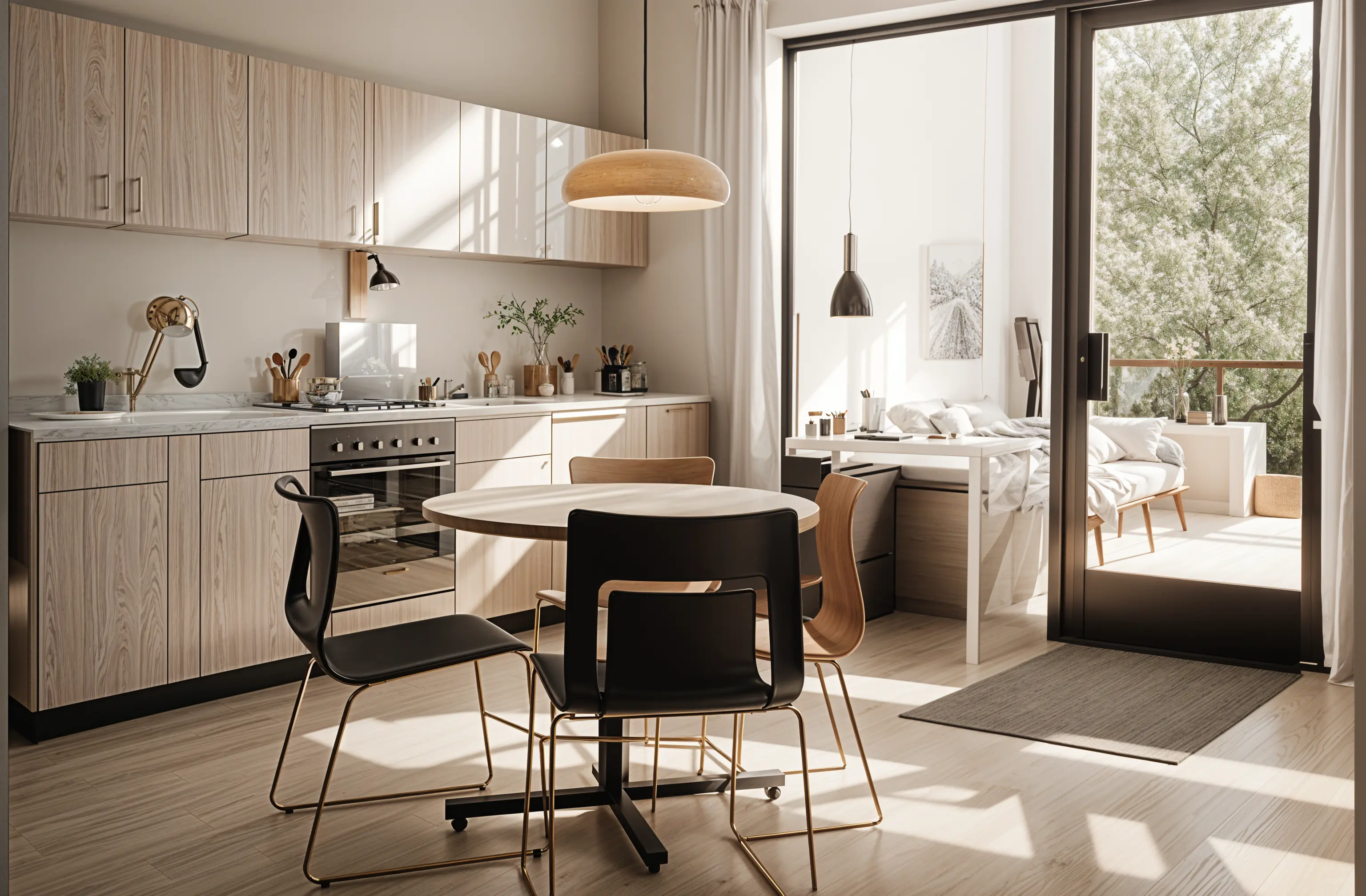
Where it works, and where it doesn’t
It suits most kitchens, especially open-plan ones and newer homes, and it is a safe direction if you may sell in a few years. Two-tone schemes also let you keep some existing cabinets and change others.
What is current dates. A very dark or high-gloss scheme may feel tied to this decade later, so keep the fixed surfaces fairly neutral and put the trend into things that are easy to change, such as lighting, taps and stools.
How to see it on your own kitchen
- Photograph the kitchen. Stand in the doorway with the lights on and use your phone’s normal 1x lens. Clear the counters first so the design isn’t built around clutter.
- Choose the room and the style. In Remodel, pick Kitchen as the room and Contemporary as the style. Remodel is designed to keep the shape of the space and its windows and to change the finishes around them.
- Run a second style on the same photo. Try Minimalist next and drag the slider on each. A style is easier to judge beside another one than on its own.
- Refine the one you keep. On a paid plan, Edit changes one thing you describe and Brush changes only the area you paint over. Designs are saved in your Library beside the original photo.
Styles to compare it with
- Minimalist. Quieter: one finish, no visible hardware and less contrast.
- Mid-Century Modern. Warmer and more characterful, with wood fronts and period lighting.
- Transitional. Contemporary colors on more traditional framed doors.
What a design can’t tell you
A design can’t tell you what the work costs, where plumbing and wiring can move, or what your local code requires. It has no measurements, the cabinets and counters in it are a look to match and not specific products, and it can change details you did not ask about, such as an appliance or the view out of a window. Moving a sink or adding an island needs a measured plan from a designer or contractor.
What it costs
On the web, the Kitchen room type and the Contemporary style are both included with a free account, which comes with starter credits and needs no card. Every paid plan adds Edit and Brush and unlocks all the styles and room types. The pricing page lists what each plan includes.
Common questions
- What is the difference between a modern and a contemporary kitchen?
- Modern refers to twentieth-century modernism: flat fronts, no ornament and natural materials. Contemporary means what is current, which today includes mixed finishes, dark accents and concealed lighting.
- Are two-tone cabinets contemporary?
- Yes, it is a common contemporary choice: darker base cabinets with lighter wall cabinets, or wood with a painted color.
- Can I see dark cabinets on my kitchen before repainting?
- Yes. Try the Contemporary style on your photo, or on a paid plan use Brush to paint over the cabinet fronts and name the color you want.
- Is the Contemporary style free to try on a kitchen?
- Yes. On the web, a free account includes the Kitchen room type and the Contemporary style, with starter credits and no card. Paid plans start with Basic at $13 a month, or $91 a year and add Edit and Brush for changing one thing at a time. The pricing page lists what each plan includes.
See your kitchen in the Contemporary style
Upload a photo, pick the style, and compare it with what you have now.
Redesign my kitchen